Specialty retail · Physical Operations Intelligence

Where does the configured journey need service coverage before waiting builds?

In a controlled pilot, supported views can show configured product-area dwell, waiting, role-level service coverage, and mapped journey continuation for the store format being audited.

Plan a Spatial Audit

First, we verify which camera views can reliably support each area and event.

Evidence boundaryA camera can describe the physical journey. Product outcome, purchase, sale, revenue, and customer records require an approved POS or CRM connection.

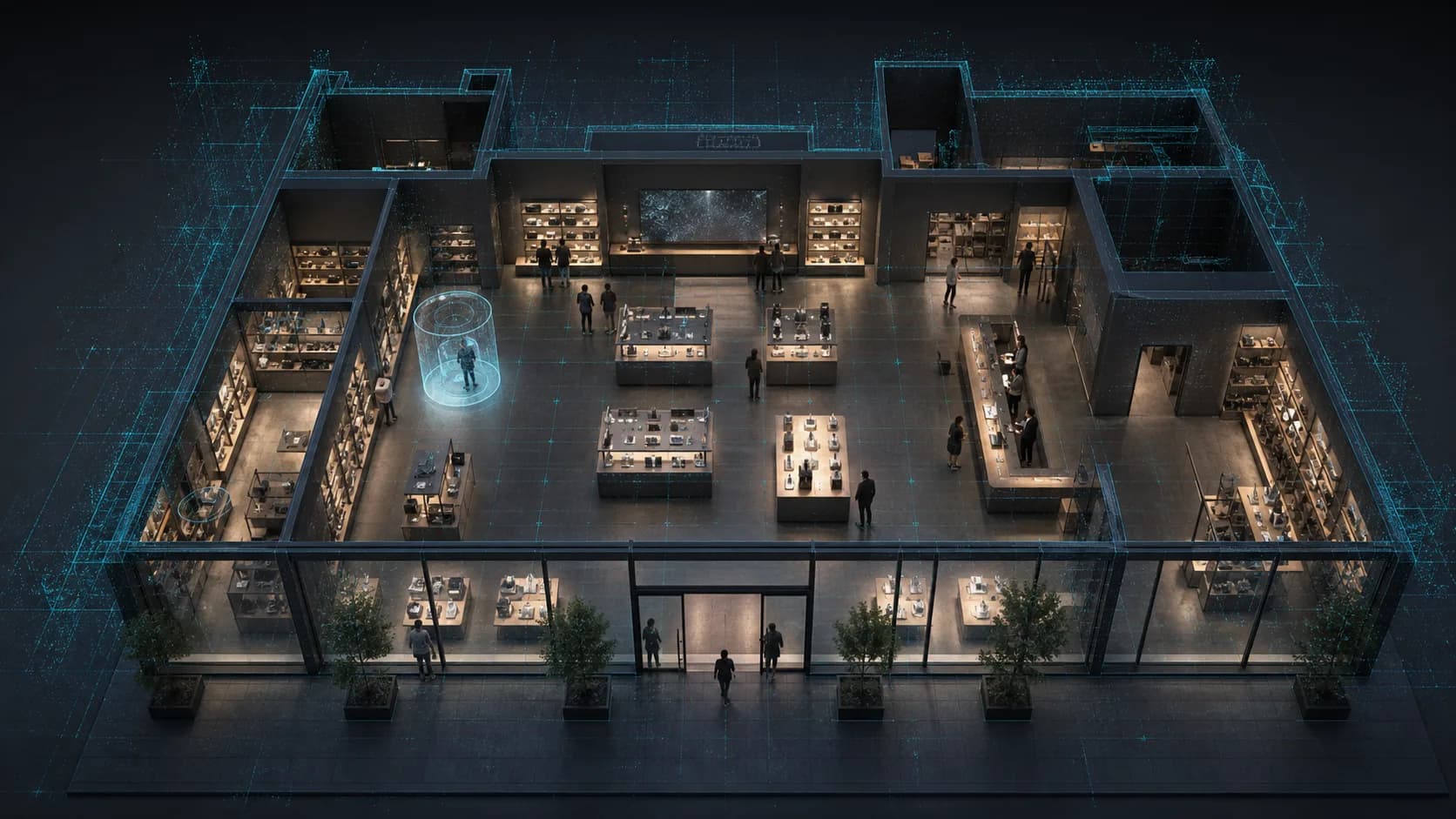
Wide specialty retail store with product displays, demo areas, specialist service points, and anonymous journeys.
Expert RelayAnonymous movement, unsupported waiting, and specialist coverage remain anchored to the same 3D store reference.
  • Anonymous product journey
  • Unsupported wait pressure
  • Specialist coverage by role
Illustrative operating view. No customer or performance result is shown.
Camera-native specialty retail scope

Build the configured store view from camera-verifiable signals.

This is a representative scope, not a fixed metric ceiling. A useful KPI starts with the product areas, service points, and operating question that matter to your team.

Traffic and storefront

  • Entry, exit, footfall, occupancy, and density
  • Storefront attention and continuation into the store
  • Anonymous groups, peak periods, and mapped flow

Product, display, and demo

  • Product area dwell and same-visit return
  • Display and promotion continuation
  • Supported demo area approach and use
  • Mapped routes and a supporting 2D heatmap

Specialist service

  • Greeting delay and service point approach
  • Support queue, waiting, and live thresholds
  • Specialist coverage and response by role
  • Configurable live alerts for active conditions

Journey and comparison

  • Physical continuation and drop-off
  • Product area to consultation or checkout continuation
  • Location, region, and period comparison
  • Comparable questions across a store network
Dashboard action signalsChain comparisonDashboardAPIsPOS and CRM context
Inside the specialty store

Where does configured product-area activity remain without visible specialist coverage?

Keep the physical store fixed. Change the question to see which displays hold attention, whether demo demand receives support, where waiting begins, and whether the journey continues toward consultation or checkout.

Store question
Comparison view
Product area and specialist handoff
Read the selected question inside one mapped store.

Where does configured product-area activity remain waiting for role-level coverage?

Read sustained product or demo-area evaluation, movement toward help, and waiting without nearby specialist coverage by role.

What the camera can read
  • Sustained configured-area dwell
  • Approach to specialist support
  • Unsupported waiting and role-level coverage
Camera reads

Suitable views can read entry and exit, anonymous groups, mapped movement, area dwell, display continuation, supported demo area use, approach to a service point, waiting, specialist coverage by role, and physical continuation toward consultation or checkout.

POS or CRM confirms

POS or CRM confirms product outcome, purchase, sale, revenue, transaction context, and recorded customer results. Exact item handling is read only when the supported camera view and model are configured for that event.

Journeys remain anonymous and bounded to the configured visit window. The page does not use eye tracking, identify shoppers, or rank individual specialists.

Configured pilot condition
Selected product or demo areaWaiting threshold and durationAttention

Product evaluation remains active beyond the configured waiting window while no specialist coverage by role is present nearby.

Manager-reviewed action

Review moving available specialist coverage to the active product or demo area before the journey breaks.

Location-specific learning

Keep each configured store context distinct.

In a standard deployment, camera images are processed on the on-site Edge PC. Continuous raw video is not sent over the WAN. Required anonymous operational metadata may synchronize to the cloud so model weights can learn recurring product, demo, waiting, and coverage patterns for this location.

Learns local patterns

Keeps recurring product, demo, waiting, and coverage patterns specific to this store.

Presents a recommendation

Layout and operating recommendations go to manager review. Nothing is applied automatically.

Compares the network

Stores are compared under the same operating question while every location-specific model remains separate.

Start with camera suitability

Map the product and support journey you need to understand.

A Spatial Audit identifies usable views, blind areas, configured product and demo zones, service points, live conditions, connected-system requirements, and the first operating question worth measuring.

Plan a Spatial Audit